TMM Connect Installation Guide
So your TMM Connect's just arrived — how do you get it up and running?
Add the TMM Connect to your WiFi network
warning
This is only supported on Chrome browsers.
- Go to Manage → Machines
- Click Provision a DataSource
- Connect your DataSource to your computer with a USB-C cable
- Click Click to connect
- Pick a device called "DataSource" in the menu dialog
- Enter your WiFi credentials
- Click Update WiFi details
- Wait for the TMM Connect to receive your WiFi credentials
- Once it has your credentials and is connected, one LED will be on and the other will be flashing
- Once the TMM Connect connects to our server, the second LED will turn on
- The TMM Connect is working when both LEDs are on and solid
Install the TMM Connect into your CNC Machine
Find the machine power supply
danger
All installation tasks must be completed by an authorized, properly qualified and skilled person who:
- Has read and understood the information presented here
- Is aware of the possible dangers and acts accordingly
- Is familiar with electrical machinery
- Is trained and authorized to work on electrical machinery
- Check the TMM Connect for any damage. If it's damaged, contact support.
- Isolate the CNC machine.
- Screw the antenna onto the TMM Connect.
- Plug the bootlace ferrule of the positive side of the DC cable into the 24V supply in the back of your machine cabinet — there should be many available sockets.
:::info Which side is the positive terminal? The positive cable will have a red terminal and is also marked with a dashed white line. :::
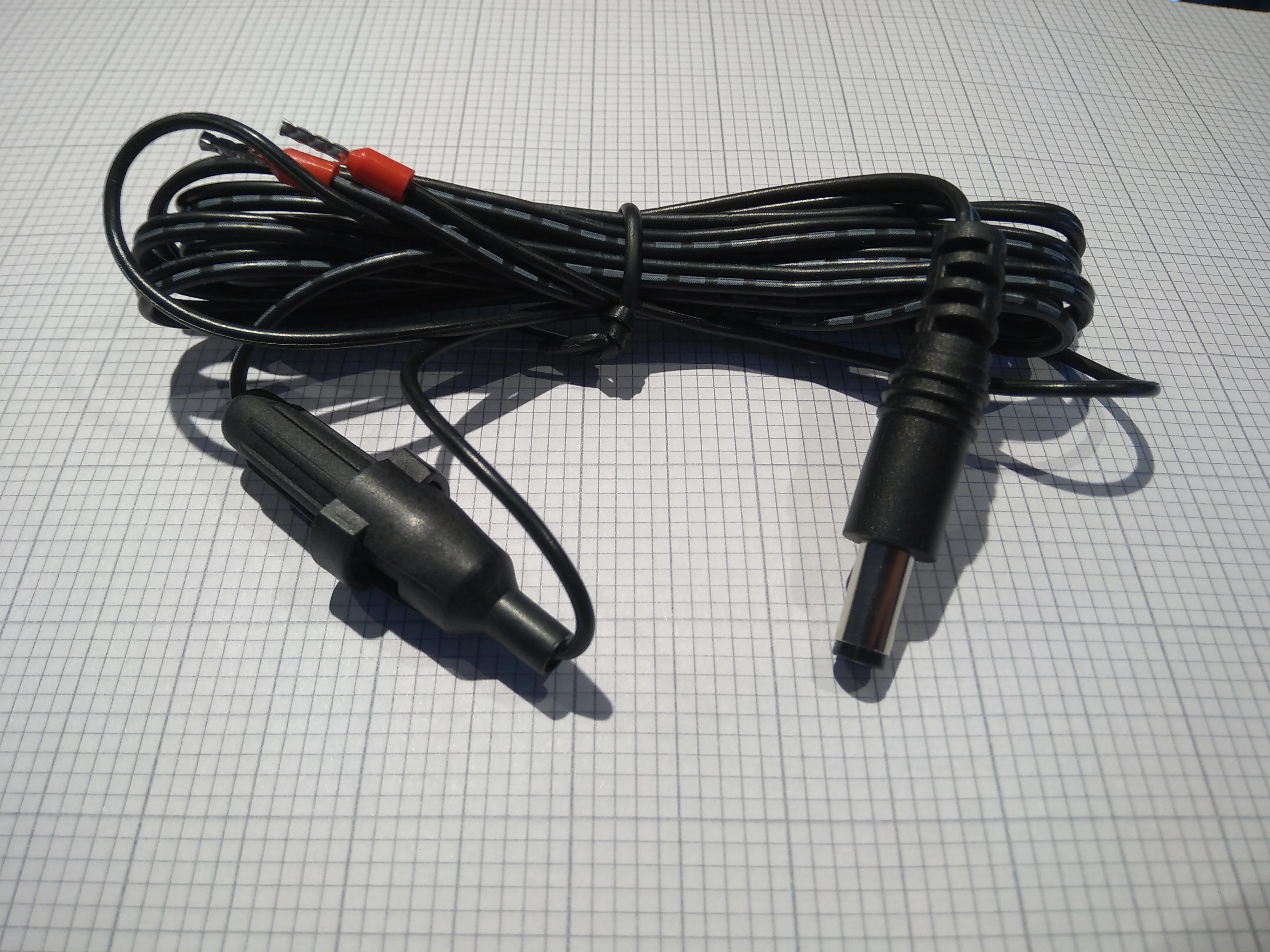
- Plug the other terminal into the 0V or ground supply.
- Plug the DC jack into the TMM Connect.
Find your productive spindle power cables
- Attach the current transducer around a single phase of your 3-phase spindle power supply.
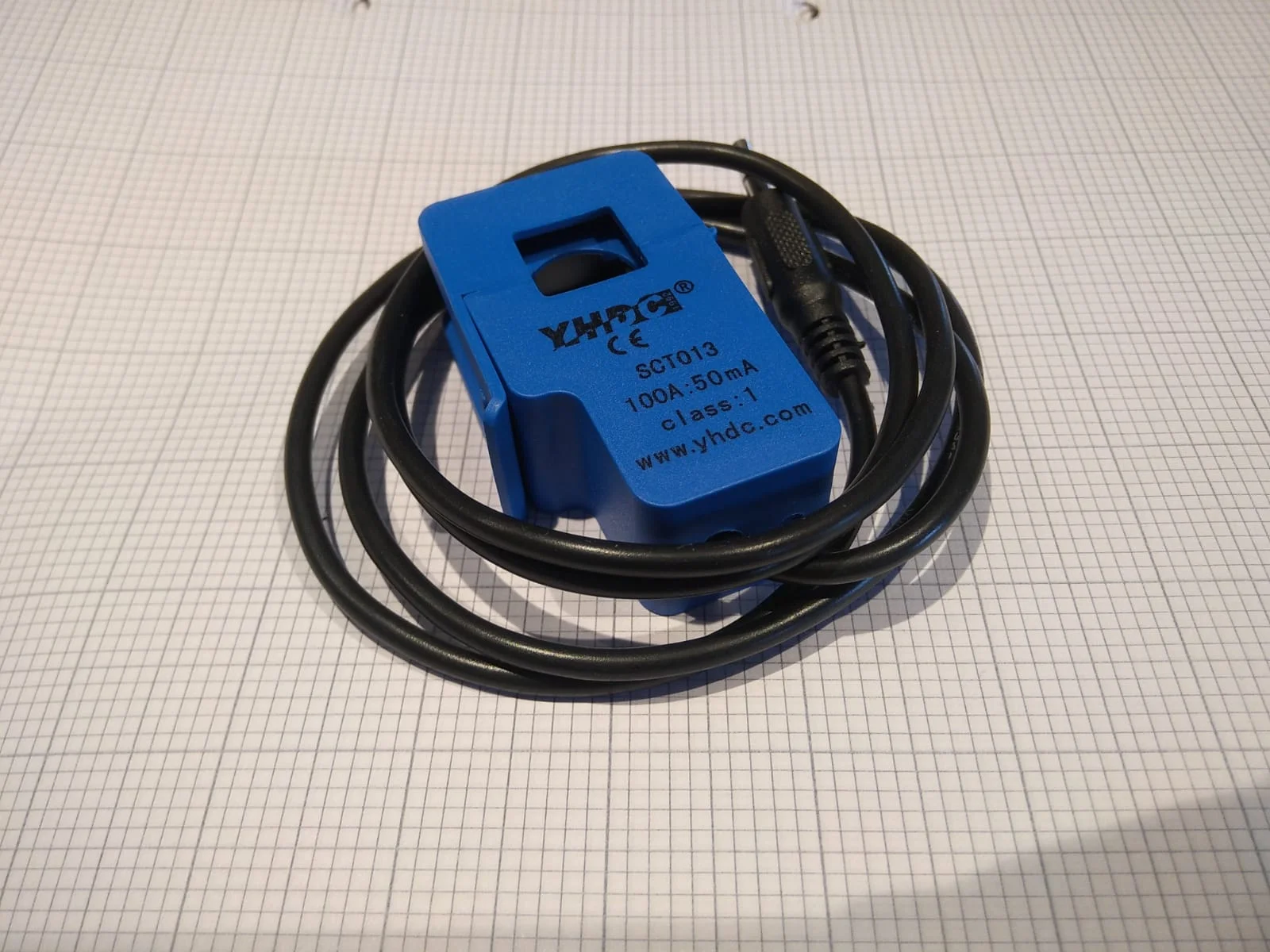
:::info Where is the spindle power supply? In the back of the machine cabinet there's a set of axis amplifiers for all the axes in the machine. The spindle amplifier is often labelled "SP" or "SP1". :::
- Plug the current transducer into your TMM Connect into the 3.5mm jack labelled "1".
- If you have more productive spindles on the machine (e.g. a multi-tasking machine or lathe with two spindles), plug those extra current sensors into the extra numbered machine monitoring inputs.
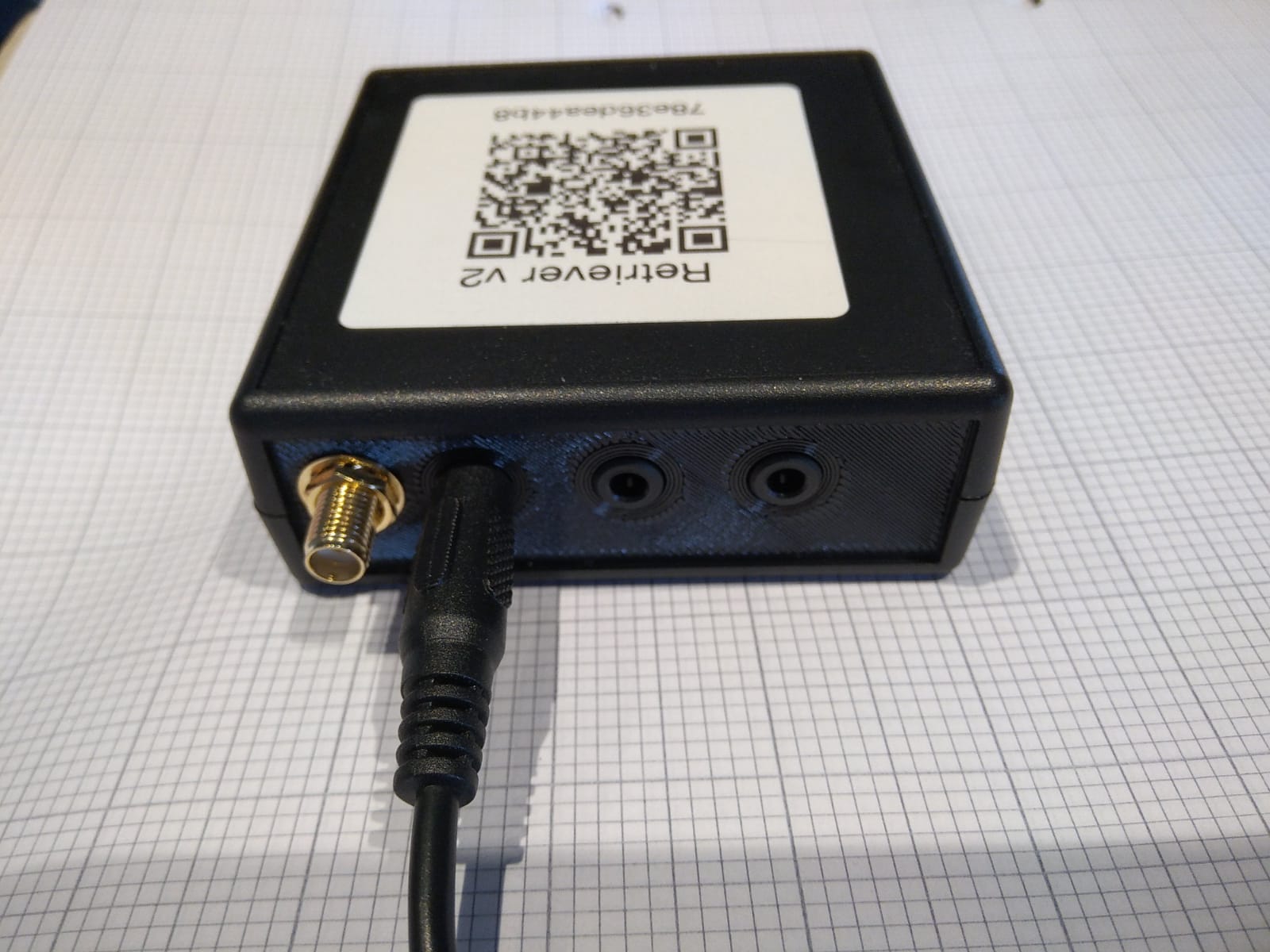
- If you've opted to also measure energy usage, place a current sensor around one of the three-phase main power cables and insert it into the E input on your TMM Connect.
- Peel the backing off the velcro, attach it to the back of your TMM Connect, and stick it somewhere the WiFi signal can get out (often near the fan outlets).
- Close the machine cabinet.
- Turn the machine on.